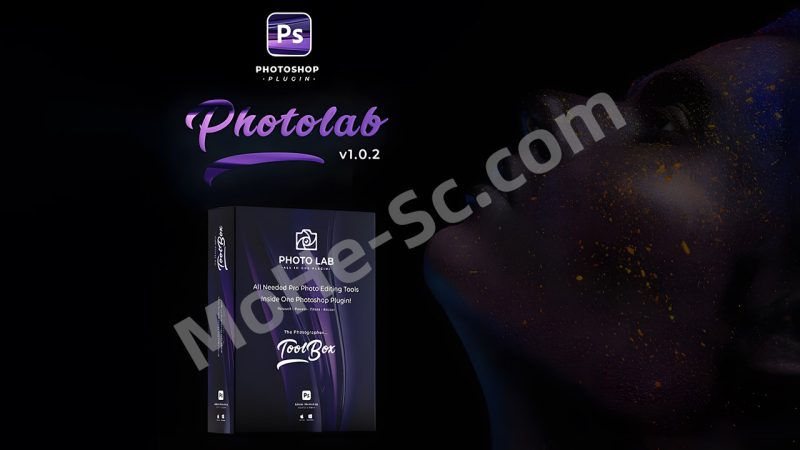



![图片[1]-PS图片滤镜风格场景特效脚本插件 Photo Lab – Photo Editing Tools V1.2 – Photoshop Plugin](https://www.mohe-sc.com/wp-content/uploads/2025/08/PS图片滤镜风格场景特效脚本插件-Photo-Lab-–-Photo-Editing-Tools-V1.2-–-Photoshop-Plugin-1024x576.jpg)
Photo Editing Tools V1.2 一款专业的 Photoshop 插件,拥有高级工具,让您无需费力就能像专业人士一样编辑图像,一键应用功能让您轻松节省时间,安装简单,结果完全可编辑。Photo Lab 利用 Photoshop 的高级技术和智能算法,为您的图像打造美丽外观并实现 360°变换,让您轻松在几分钟内编辑图像,获得优势。
功能:
Photo Lab 提供多种工具模式,您现在将获得 04 种模式,未来更新将免费提供更多模式,立即购买并享受额外未来功能。
- 基础修饰:快速修饰您的图像。
- 高级修饰:应用专业修饰+高级工具进行管理。
- 面部工具:通过 1 次点击更改图像中的面部数据(由 Photoshop 提供 AI 功能支持)。
- 照片滤镜:为您的图像添加专业色彩调色(包含09类别的100+滤镜)。
- 照片预设:为您的图像应用专业特效(20+预设)。
- 文档调整器:通过宽高比和画布轻松管理文档尺寸。
组件:
Photo Lab 配备了大量的组件,让您能够轻松、顺畅地使用该插件,而不会出现任何错误
- 03 种安装插件的方法(ZXP 方法——JSX 方法和手动方法)。
- 简单易用的插件面板,具有现代 UI 设计。
- 完整的插件使用教程(内部快速指南、PDF 说明和视频教程)。
- 滤镜和预设的实时预览(示例预览)。
- 06 类 100+滤镜(Instagram——黑化——胶片——黑白——赛博朋克——牛油果——青橙——运动 HDR——除草)。
- 21个现成预设,易于使用且完全可编辑。
为何选择 Photo Lab:
除了 Photo Lab 插件,你无法在一个地方找到如此高级的工具,你将获得对多种工具和项目的访问权限,并使用它们来增强你的图像效果,此外,在后续更新中你还将获得更多工具和模式。
- 到处都有教程,甚至插件内部也有教程。
- 插件安装和使用简单,你需要开发经验。
- 多种类别的照片滤镜满足你的需求。
- 多功能工具、预设和组件,最佳时间节省方案。
- 通过插件本身获取新更新的提醒。
- 在内部商店获取新的优惠和新产品。
- 如果您遇到任何问题,我们将快速帮助您。
A professional photoshop plugin with advanced tools to edit your images like a pro without any effort, the best time-saver in your hand with a one-click apply feature, easy to install, and full editable results. Photo Lab uses advanced techniques powered by Photoshop and smart algorithms to give your image a beautiful look and change it 360º which gives you the advantage to edit your images within minutes easily.
Features:
Photo Lab provides multi-tools as modes, you’ll get now 04 modes, and you’ll get more modes in the upcoming updates for free, buy now and enjoy the future additionally.
- Basic Retouch: apply a fast retouch to your image.
- Advanced Retouch: apply a professional retouch + advanced tools to manage it.
- Face Tools: change the face data in your image with 01 clicks (AI feature powered by Photoshop).
- Photo Filters: add a professional color grade to your image (100+ filters in 09 categories).
- Photo Presets: apply a professional FX to your image (20+ presets).
- Document Resizer: manage your document size easily with aspect ratio and canvas.
Components:
Photo Lab comes with a huge number of components to let you use the plugin easily and smoothly without any errors
- 03 ways to install the plugin (ZXP method – JSX method and manual method).
- Simple and easy to use plugin panel with a modern UI design.
- Full tutorial plugin usage (intern quick guides, PDF instructions and videos tutorials).
- Live preview for the filters and presets (example previews).
- 100+ filters in 06 categories (Instagram – Blacked – Film – B&W – CyberPunk – Avocado – Teal & Orange – Sport HDR – Weeding).
- 21 ready presets easy to use and full editable.
Why Photo Lab:
You can’t find that advanced tools in one place except in Photo Lab plugin, you’ll get an access to multi tools and items and use them to provide your images look, plus you’ll get more tools and modes in the next updates.
- Every where tutorials, even inside the plugin there’s tutorials.
- Easy to install and use the plugin, you need to dev experience.
- Multi categories photo filters to satisfy your needs.
- Best time saver with multi tools, presets and components.
- Get reminder with the new updates from the plugin itself.
- Intern shop to get the new offers and the new products.
- Fast support if you face any issue, we will help you quickly.
![图片[2]-PS图片滤镜风格场景特效脚本插件 Photo Lab – Photo Editing Tools V1.2 – Photoshop Plugin](https://pic.turnfish.top/images/2025/08/24/PS-Photo-Lab--Photo-Editing-Tools-V1.2--Photoshop-Plugin.jpg)
![年底收官巨献,AIGC行业全平台设计工具网站正式上线,助力创作者突破创作瓶颈,开启高效创作之旅[已下线]-MOHE素材库-设计行业的乐园,各类素材的矿山!](https://www.mohe-sc.com/wp-content/uploads/2024/12/Ai.turnfish.top_-800x450.jpg)








暂无评论内容