


![图片[1]-Blender绳子锁链模拟资产预设 DJH Strands – A Geonodes Library V5 For Blender 4.1 +](https://www.mohe-sc.com/wp-content/uploads/2025/11/Blender绳子锁链模拟资产预设-DJH-Strands-–-A-Geonodes-Library-V5-For-Blender-4.1--1024x576.jpg)
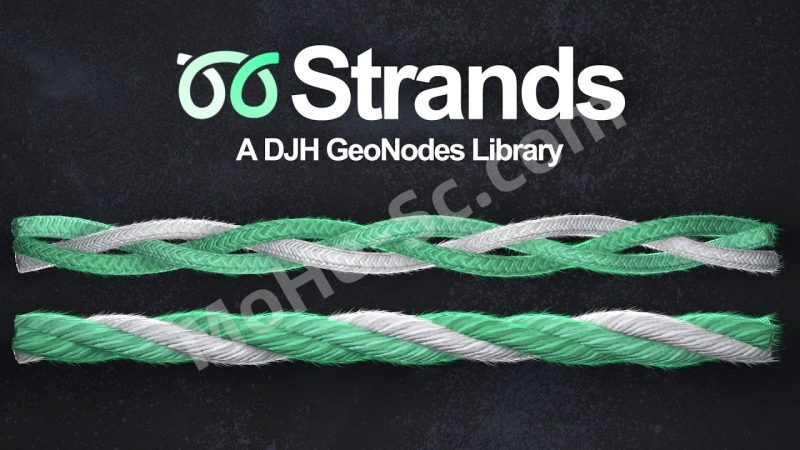
你是否经常在场景中添加绳索、链条、电线或其他细长且柔韧的物体?如果是,那么 Strands 这款 GeoNode 资源库就能帮到你。
它包含一系列模块化修改器,可以助你轻松实现这些效果。这些修改器可以帮助你在场景中放置曲线,添加细节,并将这些曲线网格化成绳索、辫子或链条。
通过向对象添加一堆股线修改器,您可以构建程序设置,将单边或简单曲线转换为场景中完全实现的绳状对象。手工建模——虽然不是特别困难——但需要更多时间,并且之后无法轻松编辑。
程序化设置的优点在于您编辑以生成结果的输入非常简单。因为它们易于编辑,所以如果您决定移动一根线,您可以以非破坏性的方式快速完成,而不必担心浪费数小时的工作时间。
Do you ever add ropes, chains, wires, or other long thin and flexible objects to your scenes? If the answer is yes, then Strands is a GeoNode Asset Library, containing a set of modular modifiers to help you do exactly that.
The modifiers assist with placing curves in your scene, appending additional details to them, and meshing those curves into ropes, braids, or chains.
By adding a bunch of strand modifiers to an object, you can build procedural settings that transform a single-sided or simple curve into a fully realized rope-like object in your scene. Manual modeling—while not particularly difficult—takes more time and isn’t easily editable afterward.
The advantage of procedural settings is that the input you edit to generate the result is very simple. Because they are easy to edit, if you decide to move a line, you can do it quickly and non-destructively without worrying about wasting hours of work.
支持版本:
- 4.1~ 4.5
![年底收官巨献,AIGC行业全平台设计工具网站正式上线,助力创作者突破创作瓶颈,开启高效创作之旅[已下线]-MOHE素材库-设计行业的乐园,各类素材的矿山!](https://www.mohe-sc.com/wp-content/uploads/2024/12/Ai.turnfish.top_-800x450.jpg)




![海龙CAD工具箱室内设计施工图咖啡树图库V6 [ 版本:2022.7.1 ] 免费下载-MOHE素材库-设计行业的乐园,各类素材的矿山!](https://img1.imgtp.com/2022/07/23/xic2RaZI.jpg)





暂无评论内容